See it run
The real thing, in your terminal.
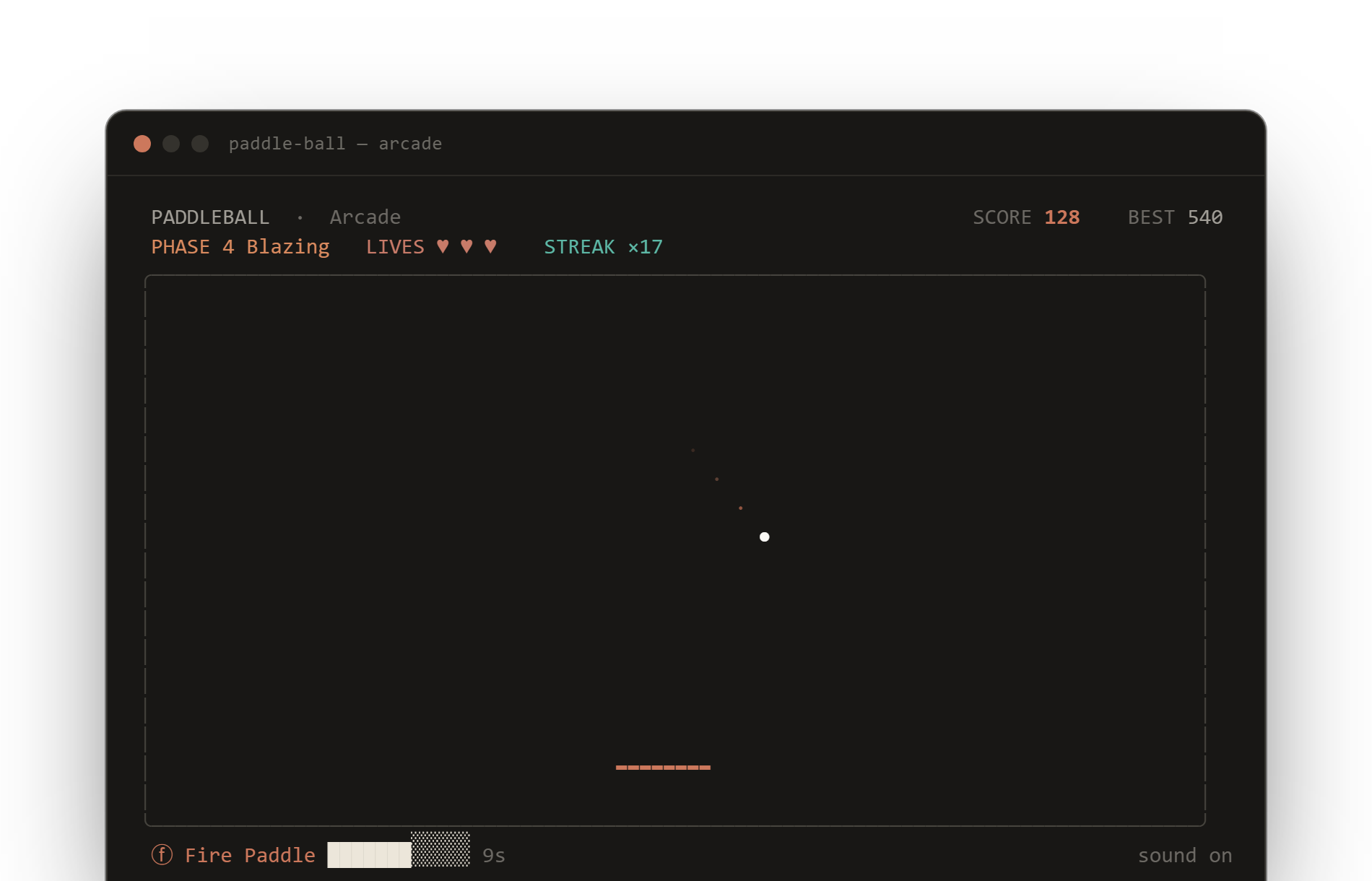
An actual frame from Arcade mode — live HUD, a power-up timer, the ball's trail, and the coral paddle. Rendered, not mocked.
A physics-based paddle game that lives in your terminal. Sub-stepped collisions that never glitch, five restrained themes, and a paddle that follows your mouse. One binary, no clutter.
curl -fsSL https://raw.githubusercontent.com/subhadeeproy3902/paddle-ball/main/install.sh | bash
Every part of the game is tuned for a calm, precise feel — restrained color, smooth motion, and physics you can trust.
The ball moves in collision-safe sub-steps, so it never tunnels through a wall or resets mid-rally — even at top speed.
A harmonica spring chases your input for weighty, fluid control. Keys, or just move your mouse — the paddle follows.
Claude, Mono, Nord, Moss, and Ember. Each leans on a single accent — no rainbow, no neon, no glow.
Six power-ups and five escalating difficulty phases in Arcade and Zen, from a gentle warm-up to genuinely insane.
Every run is saved to a local JSON store with a built-in leaderboard, per-mode filters, and lifetime stats.
Pure Go, zero runtime dependencies. Install with one command, or grab it from Homebrew, Scoop, apt, or Docker.
An actual frame from Arcade mode — live HUD, a power-up timer, the ball's trail, and the coral paddle. Rendered, not mocked.
One life, pure score chase. Every miss ends the run.
Three lives and the full power-up roster to fight for.
Endless rally, no game over. Just the bounce.
A sixty-second sprint for the highest score you can stack.
# one-line install
curl -fsSL https://raw.githubusercontent.com/subhadeeproy3902/paddle-ball/main/install.sh | bashbrew tap subhadeeproy3902/paddle-ball
brew install paddle-ballgo install github.com/subhadeeproy3902/paddle-ball@latestdocker run --rm -it ghcr.io/subhadeeproy3902/paddle-ball:latestA free, open-source, minimalist paddleball game that runs entirely in your terminal. It pairs sub-stepped collision physics with a spring-driven paddle you steer with the keyboard or mouse, five restrained themes, four game modes, sound, and a persistent score history.
On macOS or Linux: curl -fsSL https://raw.githubusercontent.com/subhadeeproy3902/paddle-ball/main/install.sh | bash. Or use Homebrew (brew install paddle-ball), Go (go install github.com/subhadeeproy3902/paddle-ball@latest), Docker, or a prebuilt binary from the releases page.
Prebuilt binaries ship for macOS, Linux, and Windows on amd64 and arm64, plus .deb, .rpm, and .apk packages and a Docker image. Anything that can run a single Go binary in a UTF-8 terminal works.
Yes — MIT-licensed and free. The full source lives on GitHub.